Introduction to Cron and Scheduled Tasks
Automating repetitive tasks is a cornerstone of modern software development and system administration. Whether you need to run database backups every night, send weekly newsletter reminders, or clear temporary cache files every hour, cron is the traditional and most reliable tool for the job. Originating in Unix-like operating systems, cron acts as a time-based job scheduler that executes scripts or commands at specified intervals.
Despite its power, working with cron can sometimes feel like deciphering a secret code. A typical cron schedule consists of a string of five or six fields separated by spaces. For developers and sysadmins who do not write cron jobs every day, remembering whether the month comes before or after the day of the week can lead to frustrating configuration errors. Understanding how these expressions are constructed ensures your automated workflows run precisely when intended without unexpected failures.
Anatomy of a Cron Expression
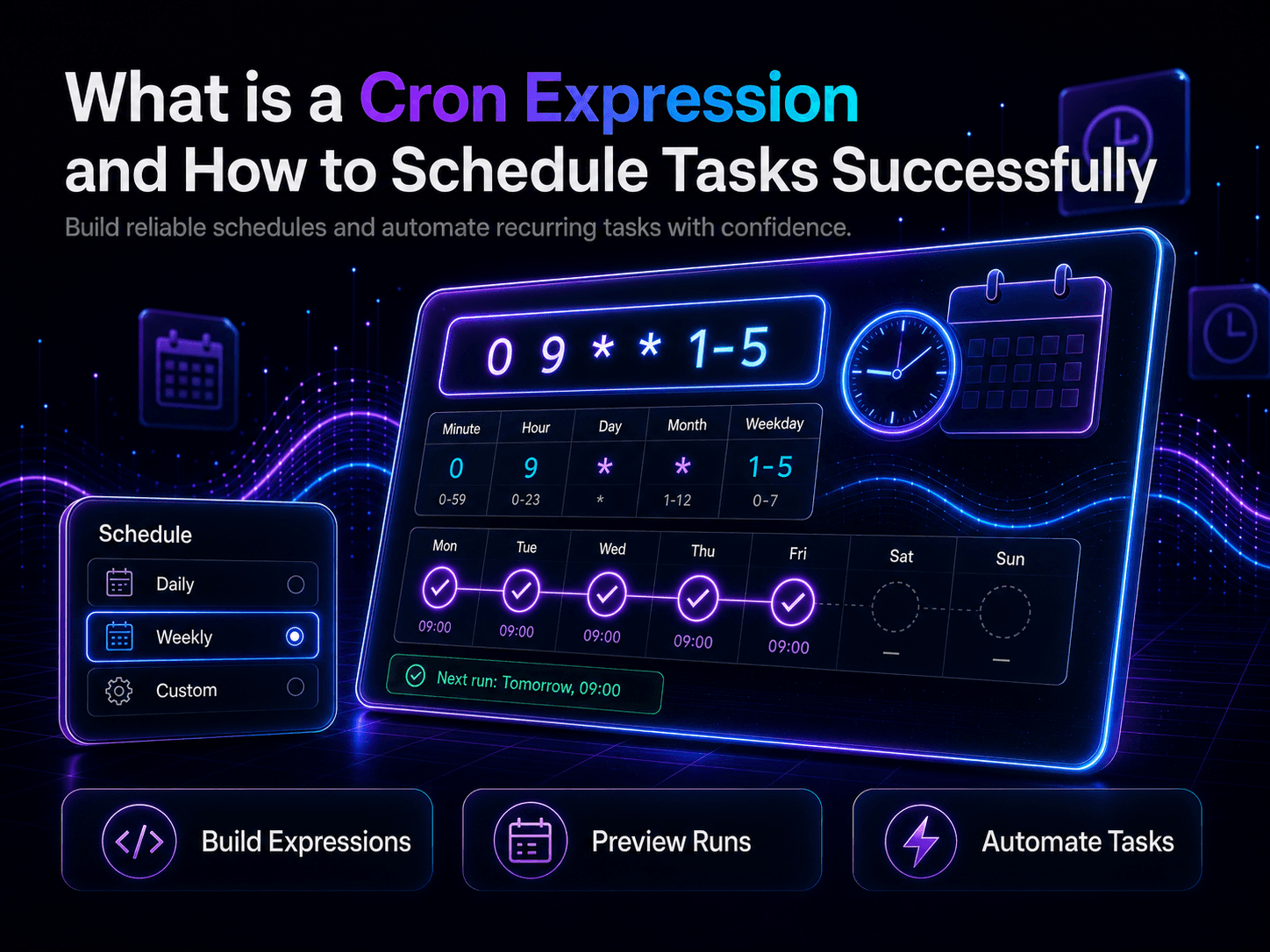
A standard cron expression is composed of five distinct fields. Each field represents a unit of time, moving from the most granular to the broadest scope. The standard structure follows this precise order:
- Minute (0 - 59)
- Hour (0 - 23, in 24-hour format)
- Day of the Month (1 - 31)
- Month (1 - 12, or names like JAN, FEB)
- Day of the Week (0 - 6, where 0 and 7 represent Sunday, or names like SUN, MON)
Some modern implementations also include an optional sixth field at the beginning for seconds, or an optional year field at the end. However, the five-field format remains the universal standard across most Linux distributions, cloud environments, and containerized backend architectures.
Common Cron Patterns and Practical Examples
To demystify cron syntax, looking at real-world examples is often the best approach. Here are a few common scheduling patterns you might encounter in production environments:
0 0 * * *: Runs at midnight (00:00) every single day. This is a classic pattern for daily log rotation and database snapshots.0 12 * * 1: Executes at 12:00 PM (noon) every Monday. Ideal for weekly summary reports or team notification tasks.*/15 * * * *: Triggers every 15 minutes. Useful for checking API health statuses, polling external queues, or syncing low-priority data caches.0 0 1 * *: Fires at midnight on the first day of every month. Perfect for monthly billing cycles or generating financial analytics reports.
Special Characters and Advanced Syntax
Cron expressions gain their flexibility through a small set of special operators. Mastering these symbols allows you to create highly customized schedules:
- Asterisk (
*): Represents all possible values for a given field. If placed in the hour field, it means "every hour." - Comma (
,): Used to specify a list of values. For example,1,15,30in the minute field runs the task at the 1st, 15th, and 30th minute of the hour. - Hyphen (
-): Defines a continuous range of values.9-17in the hour field targets every hour from 9 AM to 5 PM. - Slash (
/): Indicates step values.*/10in the minute field means every 10 minutes (0, 10, 20, 30, 40, 50).
Why You Need a Reliable Cron Expression Parser
Even with a solid grasp of the syntax, double-checking complex rules manually is risky. A slight typo can result in a critical backup job failing to run or, worse, running every minute and overwhelming your server resources. This is where a dedicated cron expression parser becomes invaluable.
Using an interactive tool allows you to instantly validate your syntax, view human-readable translations of obscure expressions, and preview the next scheduled execution times. Instead of guessing whether your wildcard placement is correct, you can test your expression instantly in a safe sandbox environment. If you want to test your configurations right now, you can use the interactive https://minitooly.com/tools/cron-expression-parser to break down any schedule effortlessly.
Practical Steps to Schedule and Test Tasks
When implementing a new scheduled task in your application or server, follow a disciplined workflow to avoid production issues:
- Draft your target schedule based on business logic requirements (e.g., "every weekday at 6 PM").
- Translate the requirement into a raw cron string (
0 18 * * 1-5). - Paste the string into a cron expression parser to verify the human-readable translation and upcoming run dates.
- Implement the job in your server's crontab or task runner configuration file.
- Monitor the initial execution logs to ensure the task triggers correctly without throwing environment or permission errors.
Limitations and Edge Cases in Cron Scheduling
While cron is ubiquitous, it does come with specific limitations worth noting. First, standard cron lacks native awareness of time zones beyond the host machine's configured time. If your servers operate in UTC but your users expect notifications in local time, you must handle timezone conversions in your application logic.
Second, cron precision generally stops at the minute level. If you need sub-minute accuracy (such as running a job every 5 seconds), traditional cron will not suffice; you will need specialized message brokers, event-driven architecture, or background workers like Celery or BullMQ.
Privacy and Safety Considerations
When working with task schedulers, security and data privacy are paramount. Cron jobs often execute scripts with elevated permissions or handle sensitive database credentials. Always ensure that configuration files containing crontab entries have strict file permissions. Furthermore, when testing public expressions or debugging strings in online utilities, ensure you never paste internal production secrets, API keys, or proprietary server paths into public tools.
Conclusion
Cron expressions are an essential tool for automating recurring tasks across servers and backend applications. By breaking down the syntax into individual time fields and leveraging special operators, you can build precise schedules for any workflow. Whenever you encounter a complex schedule or want to verify your next deployment window, using a dependable cron expression parser will save you time and prevent costly configuration mistakes.